How to enable software navigation keys and disable hardware navigation buttons
You need:
- ES File Explorer or Root Explorer
- Rooted phone
Enable software navigation keys
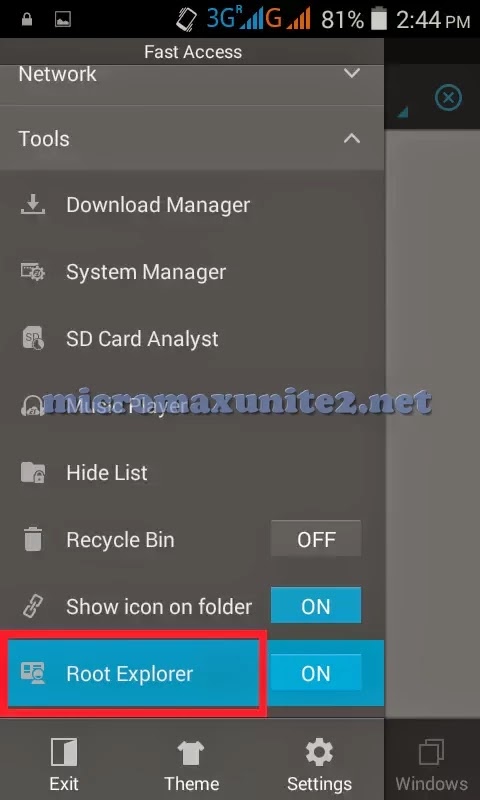
Step 1: Open ES File Explorer and enable Root Explorer from Tools

Step 2: Open /system folder


Step 3: Mount / and /system folder as Read/Write (RW)


Step 4: Open build.prop in text editor


Step 5: Add line qemu.hw.mainkeys=0 at the end of build.prop and save file


Step 6: Restart phone to enable onscreen navigation keys


How to disable hardware navigation buttons
Step 7: Open /system/usr/keylayout folder


Step 8: Mount / and /system as Read/Write (RW)


Step 9: Open file Generic.kl in text editor

Step 10: Add # before key 139, key 158, key 172 and save file


Step 11: Restart phone to disable hardware navigation buttons

